
You’ve written an amazing blog post. The research is solid, the examples are clear, and you’re confident it will help your readers. But three months later, it’s buried on page five of Google, collecting dust while competitors with weaker content rank above you.
The problem isn’t your writing. It’s your on-page SEO.
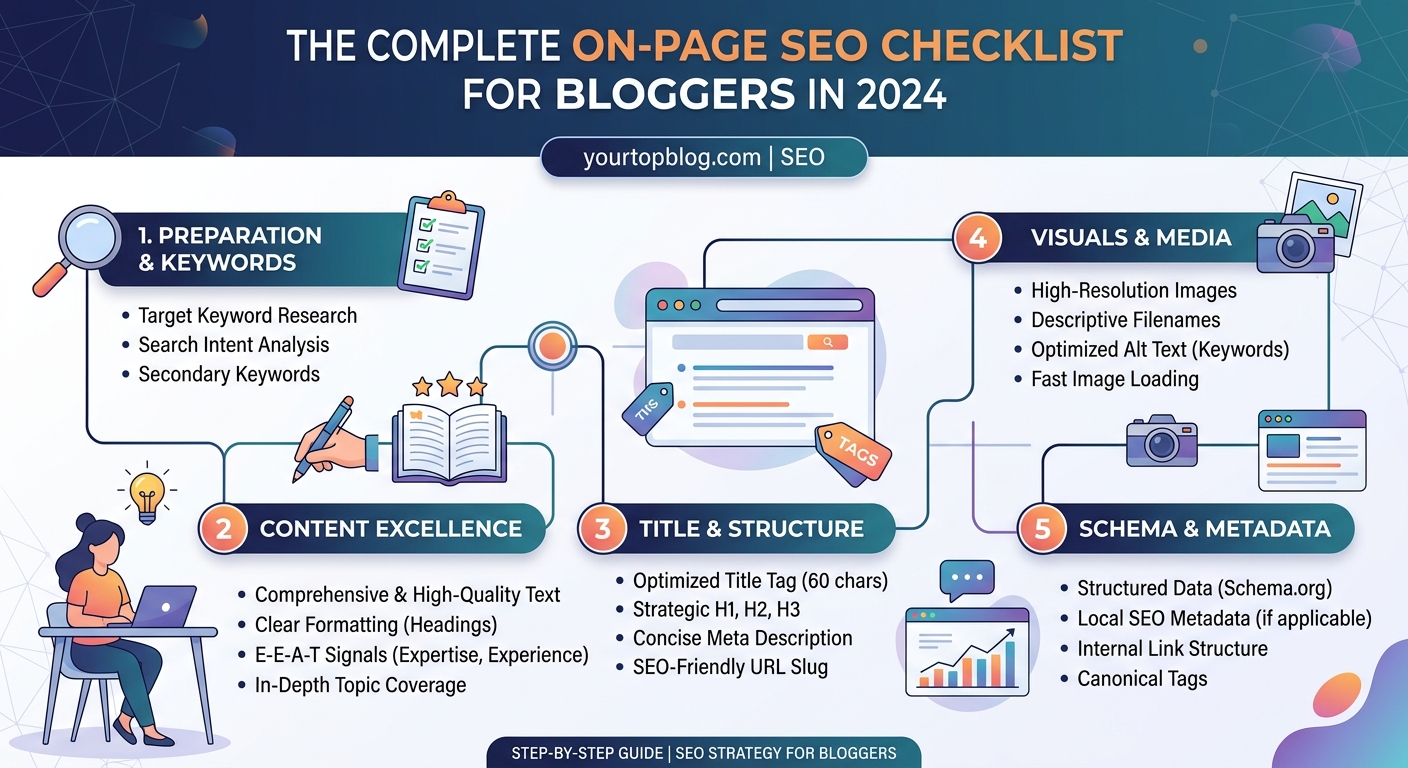
On-page SEO is the practice of optimizing individual web pages to rank higher in search engines. This checklist covers title tags, meta descriptions, header structure, keyword placement, image optimization, internal linking, content formatting, and technical elements. Master these fundamentals to improve rankings, increase organic traffic, and turn your blog into a reliable income source without relying solely on social media or paid ads.
Why On-Page SEO Determines Your Traffic Potential
Search engines read your content differently than humans do. While your readers scan for value and clarity, Google’s algorithms analyze structure, keywords, and technical signals to decide if your page deserves to rank.
On-page SEO bridges that gap. It tells search engines exactly what your content is about and why it deserves visibility.
Most bloggers skip this step. They hit publish and hope for the best. But without proper optimization, even exceptional content gets ignored.
The good news? On-page SEO is completely within your control. You don’t need backlinks from major publications or a massive social following. You just need to follow a systematic checklist every time you publish.
Start With Your Title Tag
Your title tag is the single most important on-page SEO element. It appears in search results, browser tabs, and social shares.
A strong title tag includes your target keyword near the beginning and stays under 60 characters. This prevents Google from cutting it off in search results.
Compare these two examples:
Weak: “Blog Post About Cooking Pasta”
Strong: “How to Cook Perfect Pasta in 12 Minutes (No Mushy Noodles)”
The second version includes a specific keyword, promises a clear outcome, and fits within the character limit.
Write your title tag before you write your content. It forces you to clarify your topic and keeps your writing focused.
Craft a Meta Description That Drives Clicks
Your meta description doesn’t directly impact rankings, but it heavily influences click-through rates. A compelling description can double your organic traffic even if you rank in the same position.
Keep it between 140 and 160 characters. Include your target keyword naturally and add a clear benefit or hook.
Here’s a formula that works:
[Specific promise] + [Timeframe or ease] + [Unique angle]
Example: “Learn on-page SEO with this step-by-step checklist. Optimize your blog posts in 20 minutes and start ranking higher this month.”
Avoid generic phrases like “click here to learn more” or “this article will teach you.” Be specific about what readers will gain.
Structure Your Headers for Readability and SEO
Headers organize your content for both readers and search engines. They create a logical hierarchy that makes your page easier to scan and understand.
Your page should have one H1 (usually your post title, handled automatically by WordPress). After that, use H2s for main sections and H3s for subsections.
Never skip heading levels. Don’t jump from H2 to H4. Search engines use this structure to understand your content’s organization.
Include your target keyword in at least one H2, but don’t force it into every header. Focus on clarity first.
Here’s a solid header structure for a recipe post:
- H1: How to Make Sourdough Bread at Home
- H2: Ingredients You’ll Need
- H2: Step-by-Step Instructions
- H3: Mixing the Dough
- H3: First Rise
- H3: Shaping and Second Rise
- H2: Common Mistakes to Avoid
This structure tells Google exactly what the page covers and helps readers find specific sections.
Place Keywords Strategically Throughout Your Content
Keyword placement matters more than keyword density. You don’t need to hit a specific percentage. You need to include your target keyword in strategic locations.
Here’s where to place your main keyword:
- Title tag
- First 100 words of your content
- At least one H2 heading
- Image alt text
- URL slug
- Meta description
After that, focus on natural variations and related terms. If your target keyword is “vegan meal prep,” also use phrases like “plant-based meal planning,” “prepare vegan meals,” and “meatless meal prep ideas.”
Google’s algorithm understands context and synonyms. Writing naturally for humans will cover most of your keyword needs.
Optimize Your URL Structure
Your URL should be short, descriptive, and include your target keyword. Avoid dates, numbers, and unnecessary words.
Bad URL: yourtopblog.com/2024/03/21/post-12345-how-to-do-seo
Good URL: yourtopblog.com/on-page-seo-checklist
Remove stop words like “a,” “the,” “and,” and “or” unless they’re essential for clarity. Keep URLs under 60 characters when possible.
Never change your URL after publishing unless absolutely necessary. Broken links hurt your SEO and frustrate readers who bookmarked your content.
Master Image Optimization
Images make your content more engaging, but they can also slow down your site and confuse search engines if not optimized properly.
Follow these image optimization rules:
- Compress files before uploading. Aim for under 100KB per image without sacrificing quality.
- Use descriptive file names. Change “IMG_1234.jpg” to “vegan-meal-prep-containers.jpg”
- Write detailed alt text that describes the image and includes your keyword when relevant.
- Choose the right format. Use JPG for photos, PNG for graphics with transparency, and WebP for modern browsers.
Alt text serves two purposes. It helps visually impaired readers understand your images, and it tells search engines what the image shows.
Write alt text like you’re describing the image to someone over the phone: “Three glass meal prep containers filled with quinoa, roasted vegetables, and chickpeas on a wooden counter.”
Build Internal Links That Distribute Authority
Internal links connect your content and help search engines understand your site’s structure. They also keep readers on your site longer by guiding them to related content.
Link to 2-5 relevant internal pages in every post. Use descriptive anchor text that tells readers exactly what they’ll find when they click.
Weak anchor text: “Click here for more information”
Strong anchor text: how to find low competition keywords that actually drive traffic
Internal links pass authority from high-performing pages to newer content. If you have a post that ranks well and gets consistent traffic, link from it to related posts that need a boost.
Don’t link just to link. Every internal link should provide genuine value to readers who want to learn more about a specific subtopic.
Format Content for Scanning and Engagement
Most readers scan before they read. Your formatting should accommodate this behavior.
Use these formatting techniques:
- Short paragraphs (2-4 sentences maximum)
- Bullet points for lists
- Bold text for key concepts
- Tables for comparisons
- Blockquotes for important takeaways
- White space between sections
Here’s a comparison of common formatting mistakes:
| Mistake | Impact | Fix |
|---|---|---|
| Walls of text | Readers bounce immediately | Break into 2-3 sentence paragraphs |
| No subheadings | Content feels overwhelming | Add H2/H3 every 300 words |
| Missing lists | Hard to scan key points | Convert sequences into numbered or bulleted lists |
| No bold text | Important concepts get lost | Bold 1-2 key phrases per section |
Long-form content performs well in search results, but only if readers actually engage with it. Format for skimmers first, deep readers second.
Add Schema Markup for Rich Results
Schema markup is code that helps search engines understand specific types of content. It can earn you rich snippets, which stand out in search results and increase click-through rates.
Common schema types for bloggers include:
- Article schema
- Recipe schema
- FAQ schema
- How-to schema
- Review schema
Most WordPress SEO plugins handle basic schema automatically. For specialized content like recipes or product reviews, you may need additional plugins or manual markup.
Rich snippets can include star ratings, cooking times, calorie counts, or step-by-step instructions directly in search results. These enhanced listings attract more clicks even if you don’t rank in position one.
Improve Page Speed and Core Web Vitals
Page speed is a confirmed ranking factor. Slow pages frustrate users and get penalized in search results.
Google’s Core Web Vitals measure three key aspects of user experience:
- Largest Contentful Paint (LCP): How long it takes for your main content to load. Aim for under 2.5 seconds.
- First Input Delay (FID): How long it takes for your page to respond to user interactions. Aim for under 100 milliseconds.
- Cumulative Layout Shift (CLS): How much your page layout shifts during loading. Aim for under 0.1.
Improve these metrics by:
- Using a quality hosting provider (check out our complete website hosting guide for bloggers who want maximum uptime and speed)
- Compressing images
- Enabling browser caching
- Minimizing JavaScript and CSS
- Using a content delivery network (CDN)
Test your pages with Google PageSpeed Insights or GTmetrix. These tools identify specific issues and suggest fixes.
Write Content That Matches Search Intent
Search intent is the reason behind a search query. Google prioritizes pages that match what searchers actually want.
There are four main types of search intent:
- Informational: The searcher wants to learn something (“what is on-page SEO”)
- Navigational: The searcher wants to find a specific website (“YourTopBlog login”)
- Transactional: The searcher wants to buy something (“best SEO tools”)
- Commercial investigation: The searcher is researching before buying (“Ahrefs vs SEMrush”)
Analyze the top-ranking pages for your target keyword. What format do they use? How long are they? What questions do they answer?
If the top results are all comprehensive guides, don’t publish a short listicle. If they’re all product comparisons, don’t write a beginner’s tutorial.
Match the format, depth, and angle that Google already rewards for your target keyword.
Update and Refresh Old Content
On-page SEO isn’t a one-time task. Your best-performing content needs regular updates to maintain rankings.
Set a reminder to review your top 20 pages every six months. Look for:
- Outdated statistics or examples
- Broken internal or external links
- New subtopics worth adding
- Better keyword opportunities
- Improved formatting techniques
Add a note at the top of refreshed content: “Updated March 2024 with new examples and current best practices.”
Google rewards fresh, accurate content. A well-timed update can boost a declining page back to the first page of results.
Many bloggers focus on creating new content and ignore their existing library. But updating a page that already ranks on page two is often easier than getting a new page to rank at all.
If you’re struggling to get your posts to rank despite following this checklist, read why your blog posts aren’t ranking and how to fix it for advanced troubleshooting.
Optimize for Featured Snippets
Featured snippets appear above position one in search results. They answer the searcher’s question directly and can dramatically increase your traffic.
Common featured snippet formats include:
- Paragraphs (40-60 words)
- Lists (numbered or bulleted)
- Tables
- Videos
To optimize for snippets:
- Identify questions your target audience asks
- Answer them clearly and concisely
- Format answers in snippet-friendly structures
- Use H2 or H3 headings phrased as questions
For example, if you’re targeting “how long does sourdough bread last,” include an H2 with that exact question followed by a clear 50-word answer.
You can’t guarantee a featured snippet, but proper formatting and clear answers significantly increase your chances.
Create a Pre-Publish SEO Checklist
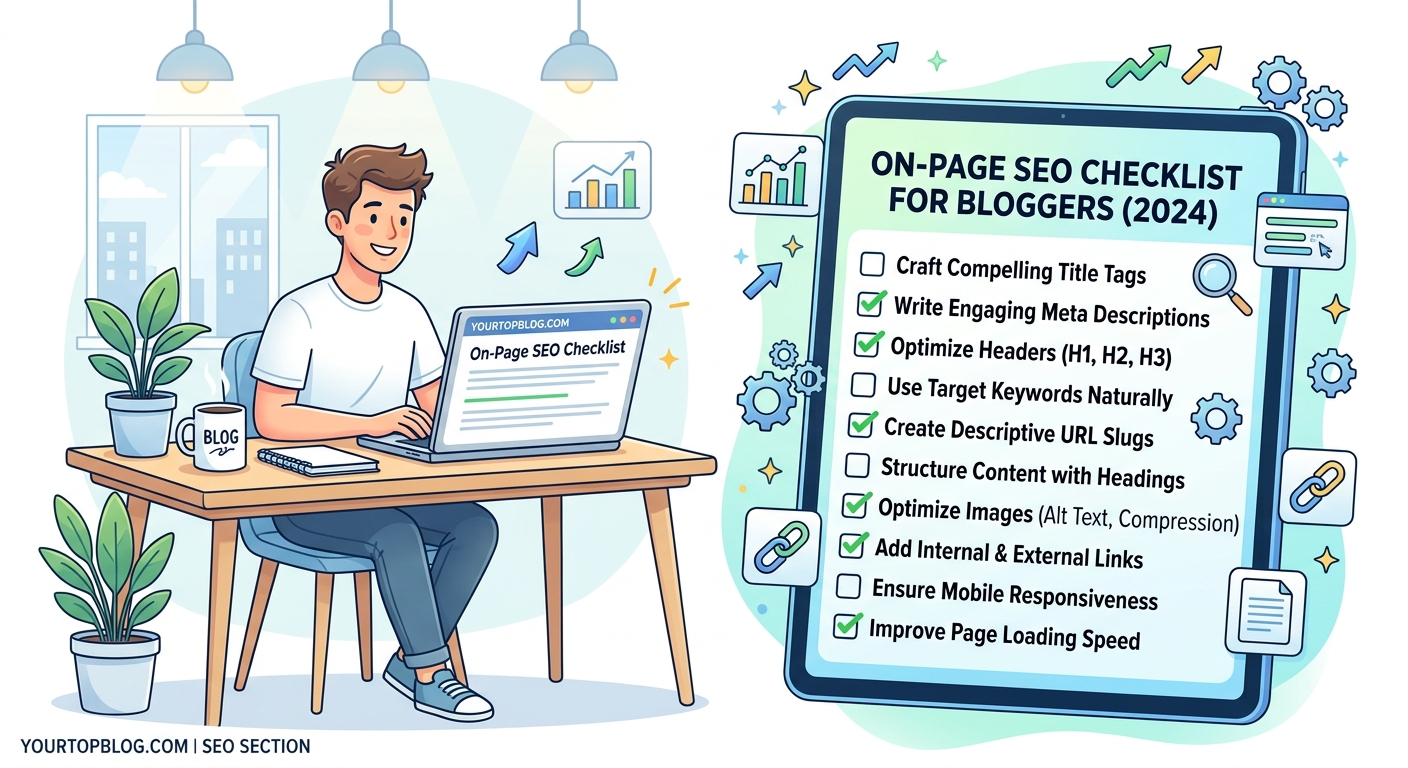
Turn these principles into a repeatable system. Before you hit publish on any blog post, run through this checklist:
Content Elements:
– [ ] Target keyword appears in title tag
– [ ] Meta description is 140-160 characters
– [ ] Keyword appears in first 100 words
– [ ] At least one H2 includes target keyword
– [ ] URL is short and includes keyword
– [ ] Content matches search intent for target keyword
– [ ] Word count matches or exceeds top-ranking competitors
Technical Elements:
– [ ] All images compressed and under 100KB
– [ ] All images have descriptive alt text
– [ ] 2-5 relevant internal links included
– [ ] No broken external links
– [ ] Page loads in under 3 seconds
– [ ] Mobile-friendly formatting confirmed
Formatting Elements:
– [ ] Paragraphs are 2-4 sentences maximum
– [ ] At least one bulleted or numbered list
– [ ] At least one table or comparison
– [ ] Key concepts highlighted in bold
– [ ] Sufficient white space between sections
Copy this checklist into a document or project management tool. Use it every single time you publish.
Consistency matters more than perfection. A post that’s 80% optimized and published today will outperform a perfectly optimized post that sits in drafts for another month.
“The difference between bloggers who get traffic and bloggers who don’t isn’t talent or luck. It’s systems. Build a checklist you actually use, and your rankings will improve within weeks.”
Common On-Page SEO Mistakes That Kill Rankings
Even experienced bloggers make these mistakes. Avoid them to protect your rankings:
Keyword stuffing: Using your target keyword so often that it sounds unnatural. This hurts readability and triggers spam filters.
Duplicate content: Publishing similar content on multiple pages. This confuses search engines about which page to rank.
Missing or duplicate title tags: Every page needs a unique title tag. Generic titles like “Home” or “Blog Post” waste your most valuable SEO real estate.
Ignoring mobile users: Over 60% of searches happen on mobile devices. If your site isn’t mobile-friendly, you’re losing the majority of potential traffic.
Thin content: Pages with under 300 words rarely rank unless they’re targeting very specific, low-competition keywords. Aim for 1,000+ words for competitive topics.
No clear topic focus: Pages that try to cover too many topics don’t rank well for any of them. One page, one primary topic.
Slow load times: If your page takes more than three seconds to load, most visitors will bounce before they see your content.
Run a monthly audit of your top 20 pages. Check for these mistakes and fix them before they hurt your traffic.
How On-Page SEO Connects to Your Revenue
Better rankings mean more traffic. More traffic creates more opportunities to monetize.
Whether you’re running ads, promoting affiliate products, or selling your own courses, traffic is the foundation of every revenue stream.
One of my students increased her monthly AdSense revenue from $200 to $2,400 in four months by implementing this on-page SEO checklist on her existing content. She didn’t write new posts. She just optimized what she already had.
If you’re monetizing with AdSense, proper on-page SEO can help you avoid common AdSense mistakes that cost thousands every month.
And if you’re just starting out, make sure you’re building on a solid foundation by learning how to get approved for Google AdSense even as a new blogger.
On-page SEO isn’t just about rankings. It’s about building a sustainable business that doesn’t depend on social media algorithms or paid advertising.
Turn This Checklist Into Daily Practice
You now have everything you need to optimize your blog posts for search engines. The question is whether you’ll actually use it.
Most bloggers read guides like this, feel motivated for a day or two, then go back to publishing unoptimized content. Don’t be most bloggers.
Print this checklist. Save it as a bookmark. Add it to your publishing workflow. Make it impossible to publish without running through these steps.
Start with your next post. Then go back and optimize your top five existing posts. Track your rankings and traffic over the next 30 days.
You’ll see results faster than you expect. And once you do, you’ll never publish unoptimized content again.