
You spent hours writing that blog post. It performed well for a few weeks, then disappeared into your archive.
Sound familiar?
Most bloggers treat each post like a one-time event. They publish, share once, then move on to the next piece. That’s leaving 90% of your content’s potential on the table.
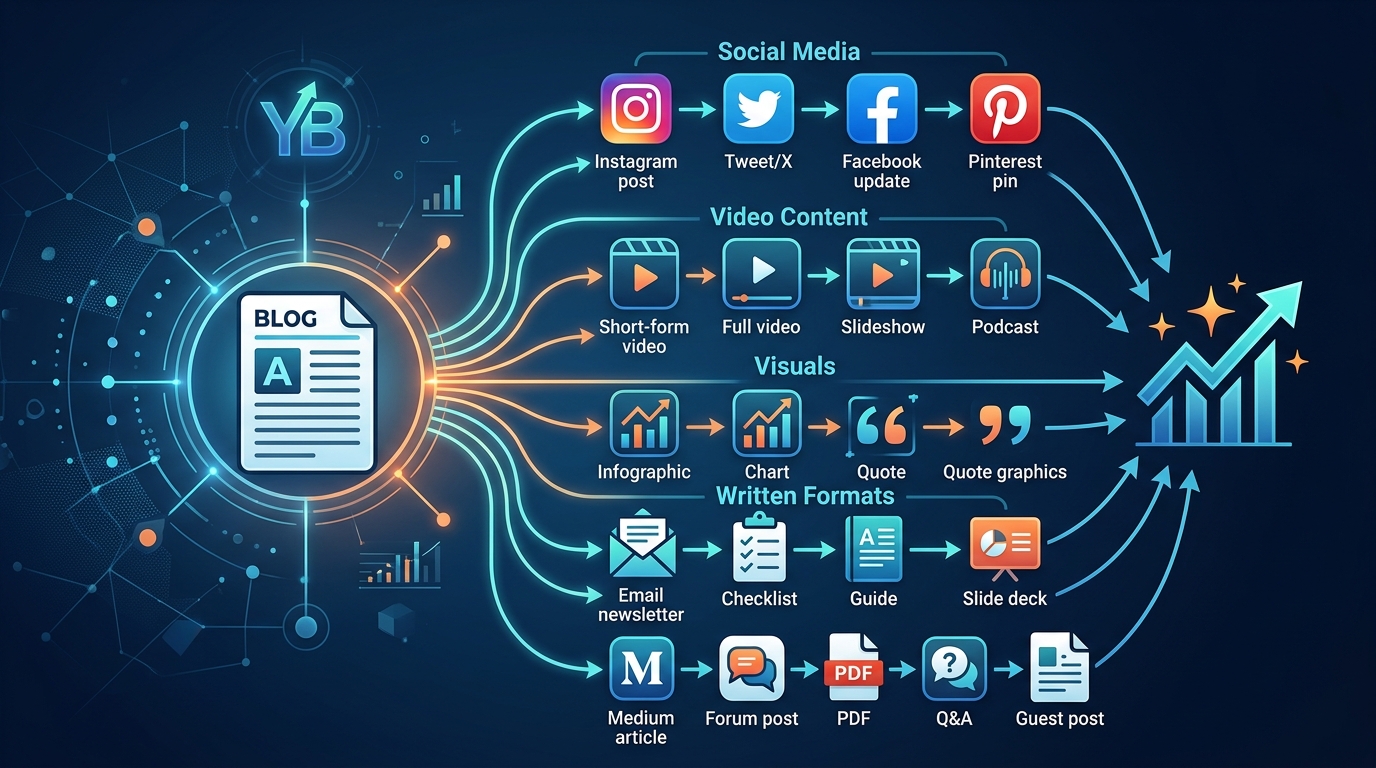
Repurposing blog content transforms one article into multiple traffic-driving assets across different platforms. By converting blog posts into social media updates, videos, email sequences, infographics, and podcasts, you multiply your reach without creating new content from scratch. This strategy saves time while maximizing the ROI of your existing work and reaching audiences who prefer different content formats.
Why Repurposing Beats Creating From Scratch
Creating fresh content every day burns you out.
Repurposing lets you work smarter. You’ve already done the research. You’ve already validated the topic. You’ve already written the core message.
Now you’re just reformatting it for different audiences and platforms.
The average blog post takes 3-4 hours to write. But you can turn that same post into 10-15 pieces of content in under two hours. That’s a 5x return on your time investment.
Different people consume content differently. Some prefer reading. Others want videos. Many scroll social media but never visit blogs. When you build an email list that drives repeat traffic, you need multiple formats to keep subscribers engaged.
The Foundation: Choosing Posts Worth Repurposing
Not every blog post deserves the repurposing treatment.
Start with your best performers. Look at Google Analytics for posts with:
- High organic traffic
- Long average time on page
- Strong social shares
- Consistent monthly visits
Evergreen content works best. Tutorials, how-to guides, and educational posts stay relevant for years. Timely news pieces lose value after a few weeks.
Your low competition keywords that actually drive traffic often make perfect repurposing candidates because they already proved their value.
“The best content to repurpose is content that’s already working. Don’t waste time reformatting posts that flopped. Double down on your winners.”
Breaking Down One Post Into Multiple Assets
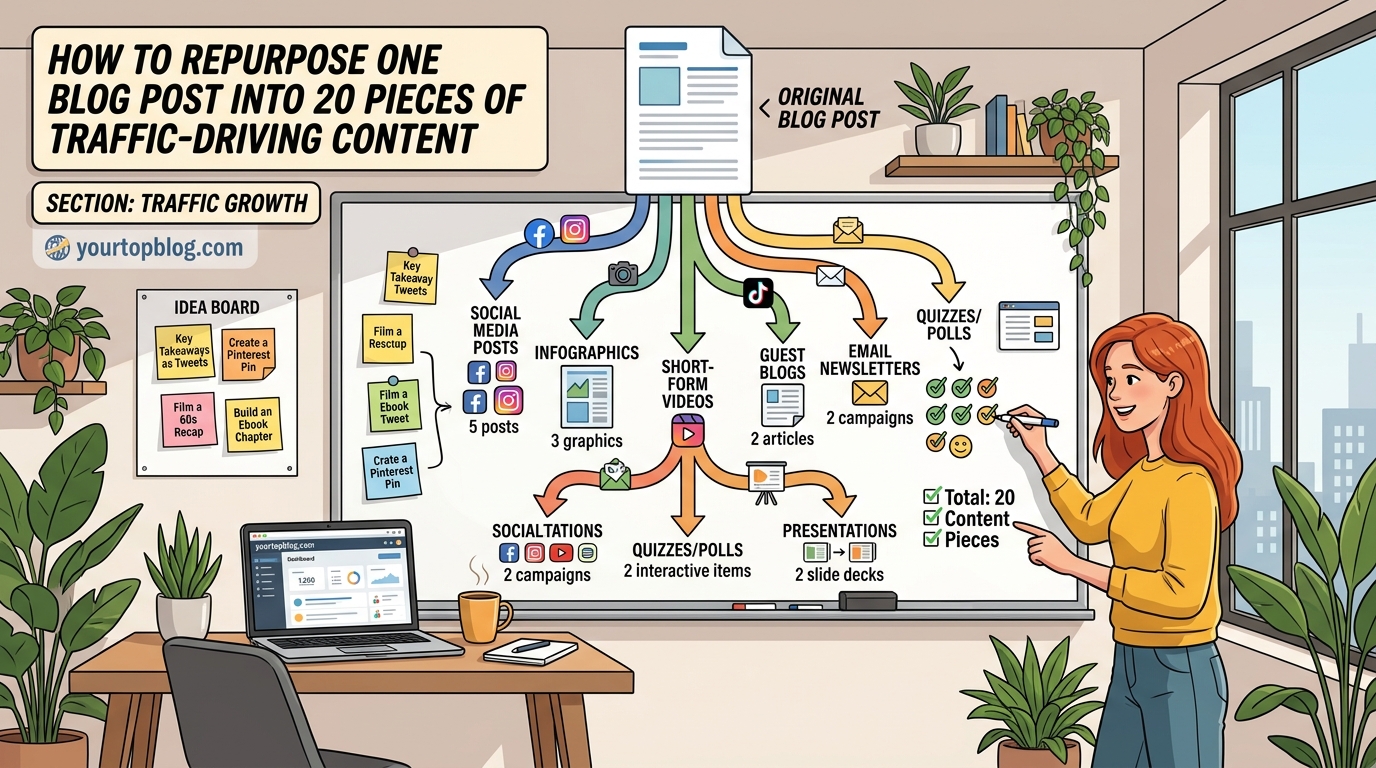
Here’s the step-by-step process for turning one blog post into 15+ content pieces.
1. Extract Key Points for Social Media
Pull 5-7 standalone insights from your post. Each becomes a separate social update.
For a 2,000-word blog post about SEO, you might extract:
- The importance of title tags
- How to optimize meta descriptions
- Internal linking best practices
- Image optimization tips
- Mobile-first indexing explained
Each point becomes a tweet, LinkedIn post, or Facebook update with a link back to the full article.
2. Create Quote Graphics
Turn memorable sentences into visual quotes. Use Canva or similar tools to overlay text on branded backgrounds.
These perform well on Instagram, Pinterest, and LinkedIn. They’re shareable and drive traffic back to your original post.
3. Build a Carousel Post
Instagram and LinkedIn carousels get higher engagement than single images.
Break your blog post into 8-10 slides. Each slide covers one main point. The final slide includes a call-to-action linking to the full article.
4. Record a Video Walkthrough
Film yourself explaining the blog post’s main concepts. This doesn’t need fancy editing.
Screen recordings work great for technical tutorials. Talking head videos work for opinion pieces and personal stories.
Upload to YouTube, embed in the original blog post, and share clips on TikTok or Instagram Reels.
5. Convert Into an Email Sequence
One comprehensive blog post can become a 3-5 email series.
Email 1: Introduce the problem
Email 2: Share the first solution
Email 3: Cover the second solution
Email 4: Provide advanced tips
Email 5: Recap and call-to-action
Each email links back to relevant sections of the original post for readers who want more detail.
6. Design an Infographic
Visual learners prefer infographics over text. Pull statistics, steps, or comparisons from your post and arrange them visually.
Infographics perform exceptionally well on Pinterest for driving blog traffic. They also get embedded on other sites, creating backlinks.
7. Create a Podcast Episode
Read your blog post aloud with some personality. Add an introduction and conclusion. You’ve got a podcast episode.
Or use the post as an outline and expand on each point conversationally. Upload to Spotify, Apple Podcasts, and YouTube.
8. Build a Slide Deck
Turn your blog post into a SlideShare presentation. Each main section becomes 2-3 slides.
These rank in Google and attract a different audience than blog posts. They’re also perfect for repurposing into LinkedIn documents.
9. Write a Twitter Thread
Condense your blog post into 8-12 tweets. Each tweet covers one key point. Thread them together and link to the full post at the end.
Twitter threads get retweeted more than links to blog posts. They also appear in search results.
10. Create Short-Form Video Clips
Take your long-form YouTube video and cut it into 30-60 second clips. Each clip focuses on one specific tip or insight.
Post these to TikTok, Instagram Reels, YouTube Shorts, and LinkedIn. Include a link to the full video or blog post in your bio.
The Repurposing Workflow
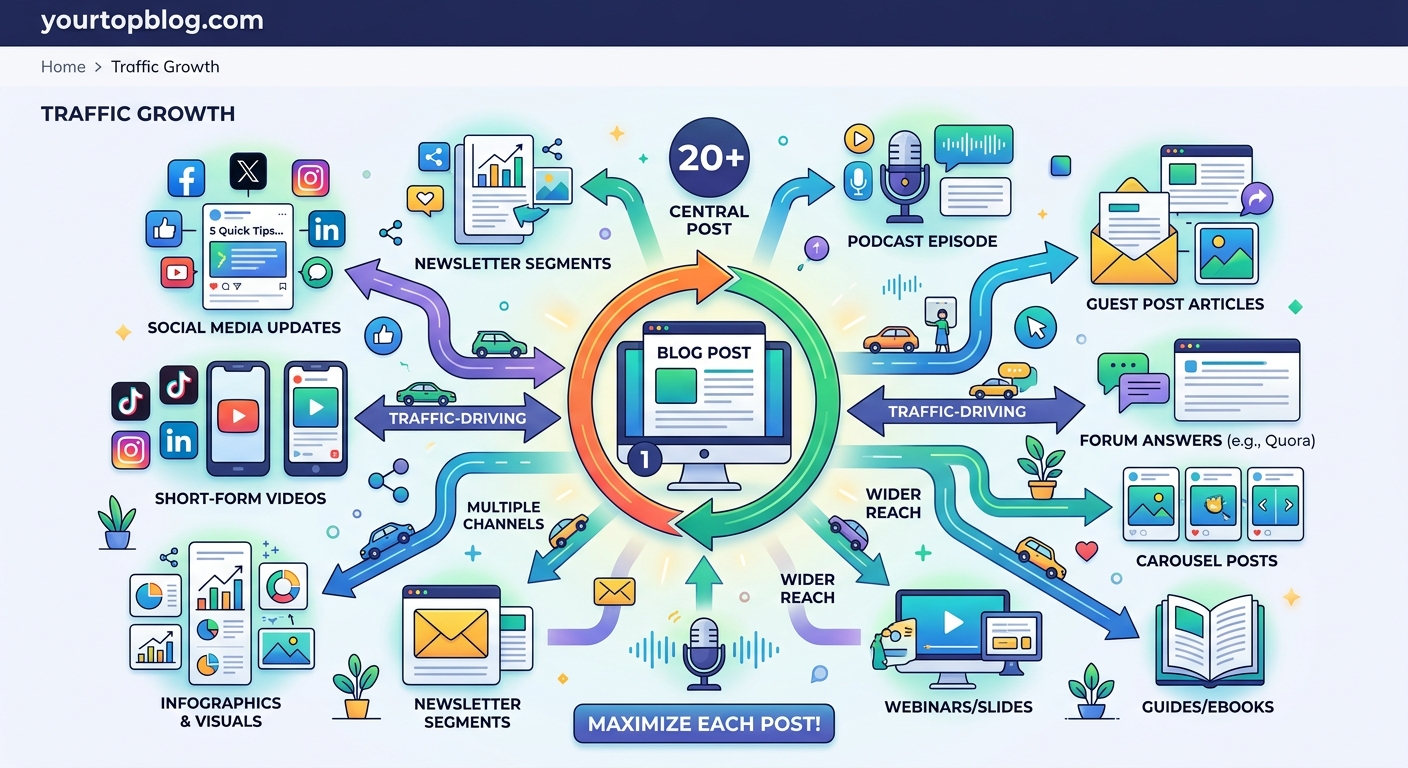
Here’s how to systematize this process so it doesn’t overwhelm you.
- Write and publish the original blog post following your complete on-page SEO checklist
- Wait 2-4 weeks to see how it performs organically
- If it performs well, add it to your repurposing queue
- Block 90 minutes on your calendar for repurposing
- Create 3-4 formats during that session
- Schedule them across the next 2-3 weeks
- Track which formats drive the most traffic back to your site
- Double down on the highest-performing formats
You don’t need to create every format for every post. Focus on the 3-4 that work best for your audience.
Platform-Specific Repurposing Strategies
Different platforms need different approaches.
| Platform | Best Format | Ideal Length | Posting Frequency |
|---|---|---|---|
| Threads, quotes | 8-12 tweets | 3-5x per week | |
| Carousels, articles | 1,300 words | 2-3x per week | |
| Reels, carousels | 30-60 seconds | 4-7x per week | |
| YouTube | Long-form video | 8-15 minutes | 1-2x per week |
| Infographics, pins | Vertical images | 5-10x per week | |
| TikTok | Short videos | 15-60 seconds | 3-7x per week |
Match your repurposing efforts to where your audience spends time. If your readers are on LinkedIn, prioritize that over TikTok.
Common Repurposing Mistakes to Avoid
Mistake 1: Copying and pasting without adaptation
Each platform has its own culture and format expectations. A blog post copied into a LinkedIn article without reformatting will underperform.
Mistake 2: Repurposing too soon
Give your original post time to rank and gather data. You need to know it’s worth repurposing before investing the time.
Mistake 3: Ignoring analytics
Track which repurposed pieces drive traffic. If Twitter threads consistently outperform Instagram carousels, adjust your strategy.
Mistake 4: Over-repurposing weak content
No amount of reformatting will save a poorly researched or badly written post. Focus your repurposing efforts on your best work.
Mistake 5: Forgetting to link back
Every repurposed piece should drive traffic to your original blog post or capture email addresses. Don’t create content islands.
Tools That Speed Up Repurposing
You don’t need expensive software, but these tools help:
- Canva: Create graphics, carousels, and infographics
- Descript: Edit videos and extract audiograms
- Buffer or Hootsuite: Schedule social media posts
- OpusClip: Turn long videos into short clips automatically
- ConvertKit or Mailchimp: Manage email sequences
Most bloggers waste time switching between tools. Pick 3-4 that cover your main repurposing needs and master them.
Measuring Repurposing Success
Track these metrics to know if your repurposing strategy works:
- Referral traffic from each platform back to your blog
- Email signups from repurposed content
- Engagement rates on each format
- Time saved compared to creating from scratch
- Revenue generated from monetized content
If a repurposed Instagram Reel drives 500 visitors but a Twitter thread drives 50, you know where to focus your energy.
Many bloggers struggle with traffic growth because they create once and move on. Repurposing keeps your best content working for months or years.
Repurposing for Different Monetization Strategies
Your monetization model affects how you repurpose.
If you rely on AdSense revenue, focus on formats that drive blog traffic. Video clips with links back to your site work well.
For affiliate marketers promoting high-converting programs, create comparison videos and detailed email sequences that link to your affiliate content.
If you sell courses or coaching, repurpose into educational content that demonstrates your expertise. Long-form YouTube videos and LinkedIn articles build authority.
Bloggers who stack multiple revenue models need repurposing strategies that serve different goals. Some formats drive traffic, others build email lists, and some establish thought leadership.
Advanced Repurposing Techniques
Once you’ve mastered basic repurposing, try these advanced strategies.
Update and republish old posts: Add new information, update statistics, and republish with a new date. Then repurpose the updated version.
Combine related posts: Take 3-4 posts on similar topics and create a comprehensive guide. This becomes a lead magnet or premium content piece.
Create seasonal variations: Repurpose evergreen content with seasonal angles. A post about productivity becomes “productivity tips for the new year” in January.
Build case studies: Take successful posts and create detailed case studies showing the results. These work great for email sequences and sales pages.
Develop courses: Your best-performing blog posts can become modules in a paid course. Each post becomes a lesson with exercises and worksheets.
Batch Creating Repurposed Content
Repurposing works best when you batch the work.
Set aside one day per month for repurposing. During that session:
- Select your top 4-5 posts from the previous month
- Create 3-4 formats for each
- Schedule everything for the next 4 weeks
- Track which formats perform best
This approach prevents repurposing from becoming a daily task that interrupts your writing flow.
Many successful bloggers who grew from zero to 50,000 monthly visitors credit batching as a key productivity strategy.
Making Repurposed Content Feel Fresh
The same message can feel new when presented differently.
Change the angle. A post about “10 SEO tips” becomes “The SEO mistakes I made so you don’t have to” for YouTube.
Update examples. Use current events, recent statistics, or trending topics to make old content relevant.
Add personal stories. A straightforward tutorial becomes more engaging when you share your experience implementing the advice.
Invite different perspectives. Interview someone in your niche about the topic and create a podcast episode or video discussion.
Your Content Now Works Harder for You
Repurposing isn’t about being lazy. It’s about being strategic.
You’ve already invested hours researching and writing. Now make that investment pay dividends across multiple platforms and formats.
Start small. Pick your best-performing post from last month. Create three repurposed versions this week. Track the results. Adjust and repeat.
Your content library is sitting there, waiting to work harder for you. Stop letting great posts gather dust in your archives. Give them new life in new formats, and watch your traffic multiply without writing a single new word.