
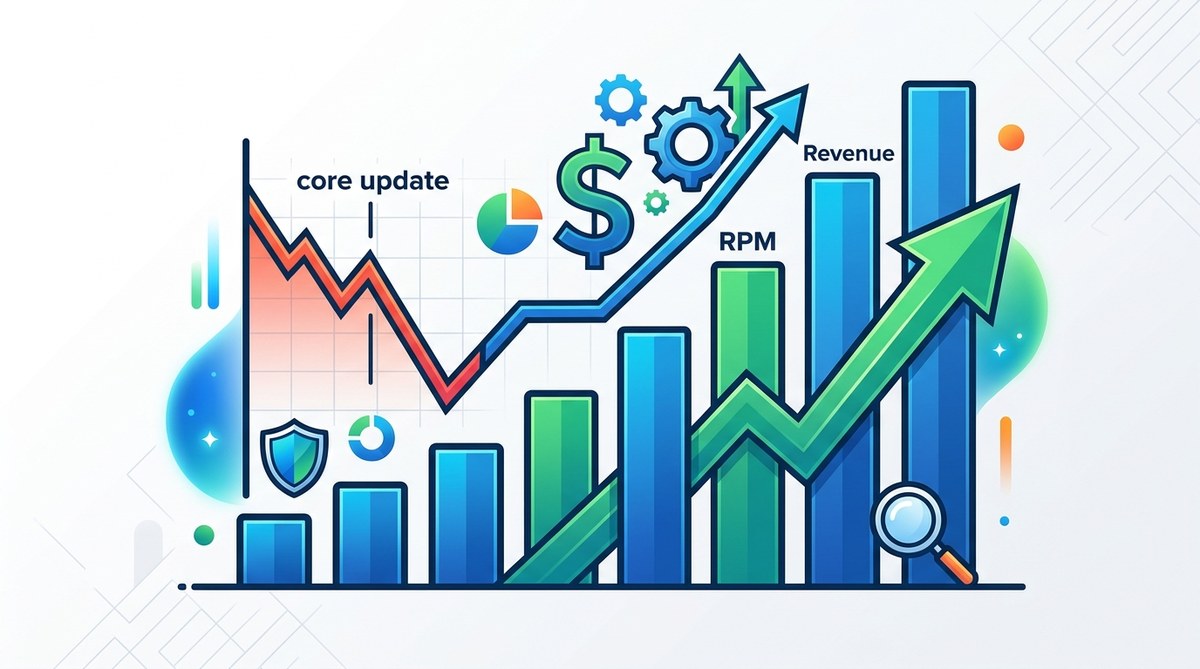
You open your AdSense dashboard one morning, and the numbers look different. Your page views might be stable, but your revenue per thousand impressions (RPM) has dropped like a stone. It happened right after Google pushed a core update. You are not alone. Every blogger who relies on AdSense feels this sting. The good news is that you can recover your AdSense RPM after a Google core update. It takes a clear strategy and a bit of patience. In this guide, I will walk you through the exact steps I have used to bounce back after algorithm shifts. No fluff. Just honest, actionable advice.
Recovering AdSense RPM after a core update requires three moves: improving traffic quality through refreshed content, adjusting ad placement for a better user experience, and diversifying income so you are less dependent on a single source. Most bloggers focus only on ad settings. The real leverage is in aligning your site with what the update rewards.
Understanding Why Your RPM Dropped After a Core Update
A Google core update does not directly change your AdSense rates. Instead, it shifts which pages rank and which traffic you attract. If your RPM fell, it is likely because:
- Your organic traffic mix changed. You might now attract users with lower purchase intent.
- Google started rewarding pages with stronger E-E-A-T (Experience, Expertise, Authoritativeness, Trustworthiness).
- Your ad placements may have become less visible because of layout shifts or slower load times.
Before you start changing ad units, take a breath. The first step is to diagnose what actually happened. Do not guess. Look at the data.
Audit Your Traffic Quality
Your RPM is tied directly to the quality of your audience. A core update might have swapped your high-value visitors for casual browsers. Here is how to check.
- Compare your traffic sources in Google Analytics for the weeks before and after the update.
- Look at bounce rate, average session duration, and pages per session. If these metrics went down, your content is not matching what searchers expect.
- Check Google Search Console for the queries that lost positions. Are they commercial or informational? If you lost rankings for high-intent keywords, your RPM will suffer.
Numbered process for a traffic audit:
- Open Google Analytics and set a custom date range: 30 days before the core update and 30 days after.
- Export the “Acquisition > All Traffic > Source/Medium” report for both periods.
- Compare the percentage of organic traffic versus referral or paid. If organic dropped, the core update hit you.
- Review your top landing pages by sessions. Identify which ones lost the most traffic.
- Cross-reference with Google Search Console to see the exact queries that dropped.
Once you know which pages are bleeding traffic, you can focus your recovery effort. If you have never done a deep audit, my guide on 7 AdSense Mistakes That Are Costing You Thousands Every Month might help you spot additional issues.
Refresh Your Content for 2026 Search Intent
Google core updates increasingly reward content that satisfies the user’s intent better than anything else. Old posts that used to rank well may now seem shallow. You need to update them.
What to update:
- Add recent statistics or examples from 2025 or 2026.
- Improve readability with subheadings, bullet lists, and shorter paragraphs.
- Strengthen your author bio and include credentials. Google loves E-E-A-T signals.
- Answer related questions that appear in “People also ask” boxes.
Numbered steps for content refresh:
- Identify your top 10 high-traffic posts that lost ranking after the update.
- Read each one with fresh eyes. Does it truly answer what a searcher wants?
- Rewrite weak sections, add a table of contents if the post is long, and insert internal links.
- Update the publication date to reflect the revision.
- Resubmit the page to Google in Search Console.
Do not just change a few words. Give each post a meaningful upgrade. For more on this topic, check out Why Your Blog Posts Aren’t Ranking (And How to Fix It).
Reassess Your Ad Placement and Density
After a core update, Google may penalize sites that feel cluttered or that put ads above content. Your ad layout might be hurting your RPM without you realizing it.
Common mistakes versus best practices table:
| Mistake | Best Practice |
|---|---|
| Too many ads above the fold | Limit to one ad visible without scrolling |
| Large sticky ads on mobile | Use fixed size banners that do not block content |
| Auto ads placed without review | Manually test Auto Ads and disable low-performing slots |
| Ads between paragraphs every 150 words | Insert ads after natural content breaks, not rigidly |
| Ignoring ad viewability score | Aim for 70%+ viewability; use AdSense reports |
If you are not sure which formats work best, read Which AdSense Ad Formats Actually Generate the Highest RPM?. Also, consider testing The Complete Guide to AdSense Auto Ads: Should You Turn Them On?.
“After the March 2026 core update, I noticed my RPM dropped from $12 to $7. I removed two ad units from my sidebar and reduced the number of in-content ads. Within three weeks, my RPM climbed back to $10. The traffic was the same, but user engagement improved.” — A blogger who recovered in 60 days.
Optimize for Mobile-First Indexing
Google now primarily uses the mobile version of your site to rank pages. If your mobile experience is slow or clunky, your RPM will suffer. Mobile users also have different ad behavior. They scroll faster and ignore intrusive ads.
Steps to improve mobile experience:
- Use a responsive theme that rearranges content for small screens.
- Test your site with Google’s PageSpeed Insights. Aim for a mobile score above 80.
- Remove interstitials that cover the content.
- Use larger tap targets for ad close buttons.
For a deeper dive, see Should You Use AdSense on Mobile? The Data Will Surprise You.
Diversify Revenue Streams as a Safety Net
Relying only on AdSense is risky. Every core update threatens your income. The smartest recovery strategy is to build other revenue sources so that a single algorithm change does not wipe you out.
Income streams to add:
- Affiliate marketing: recommend products relevant to your niche.
- Digital products: sell templates, ebooks, or courses.
- Sponsored posts: partner with brands.
- Email list monetization: promote offers to subscribers.
I wrote a guide on 7 Passive Income Streams Every Blogger Should Add Beyond AdSense. That is a great place to start diversifying.
Common Mistakes That Worsen RPM Drops
When you panic after a core update, it is easy to make things worse. Avoid these traps.
- Deleting low-performing content. Google may still value that page for topical authority. Instead, update or merge it.
- Changing your entire site structure. This can confuse search bots and drop your rankings further.
- Adding more ads to compensate. This often lowers user engagement and hurts RPM.
- Ignoring mobile speed. A slow site loses both traffic and ad revenue.
Stay calm. Follow a methodical plan.
A Practical Recovery Timeline (30-Day Plan)
To recover AdSense RPM after a Google core update, you need a schedule. Here is a 30-day plan that has worked for many bloggers.
Week 1: Audit and diagnose
– Identify which pages lost traffic and which keywords dropped.
– Note changes in bounce rate and session duration.
– Do not touch ad settings yet.
Week 2: Refresh content
– Rewrite or update your 5 most important articles.
– Add new internal links to keep readers on your site longer.
– Update the publication dates.
Week 3: Optimize ad placement
– Remove any ad units that hurt mobile viewability.
– Test different formats: in-content vs. sidebar.
– Monitor your RPM daily without overreacting to fluctuations.
Week 4: Evaluate and diversify
– Compare your RPM to pre-update levels.
– Start adding one new income stream. For example, write an affiliate roundup post.
– Reinforce your site’s E-E-A-T by adding an updated “About” page with your credentials.
If you follow this, you will see improvement within 60 to 90 days. Consistency matters more than any single tactic.
Your Path to a Higher RPM Starts Today
You now have a clear road map to recover your AdSense RPM after a Google core update. Start with the audit. Then refresh your content and fix your ad layout. Do not forget to build other revenue sources so you are never fully dependent on one algorithm again.
I know it feels frustrating when your income drops overnight. But you can turn this around. Use the steps in this guide, and track your progress each week. You will get back to where you were, and likely end up stronger than before.
For more help, browse our AdSense Revenue Calculator: How Much Traffic Do You Really Need to Make $1,000/Month? and the 7 High-Converting Affiliate Programs That Actually Pay Bloggers in 2026. You have got this.