
You’ve spent hours crafting the perfect blog post. You nailed the keyword research, wrote a compelling headline, and optimized every meta tag. Then you check Google Search Console and see your page sitting at position 4 with a click through rate barely touching 2%. Frustrating, right?
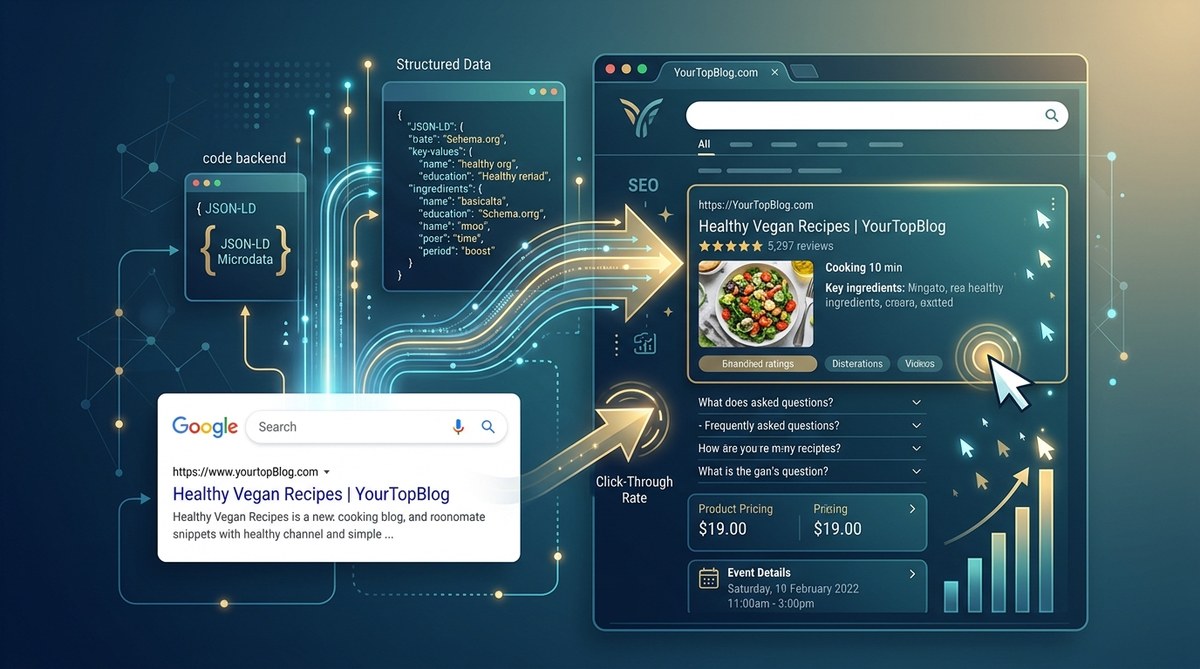
The problem isn’t your content. It’s how your content appears in search results. Without schema markup, you’re leaving a plain blue link against competitors showing star ratings, pricing, and recipe photos. That visual difference is the difference between a click and a scroll past.
Schema markup is structured data that helps search engines understand your content and display rich results. When implemented correctly, it can lift your organic click through rate by 20% to 30% by making your listings stand out with reviews, prices, FAQs, and more. This guide covers which schema types matter most in 2026, how to add them without coding, and common pitfalls that actually lower CTR.
What Is Schema Markup and Why It Matters for CTR
Schema markup is a form of microdata that you add to your website’s HTML. It tells Google and other search engines exactly what your content means. Instead of guessing that a number is a price or a star is a rating, the search engine knows for sure.
When search engines understand your content better, they can display it as rich snippets. A rich snippet might show:
- A 4.5 star rating with review count
- A price range like $19.99
- A recipe with cook time and calorie count
- An FAQ with clickable questions in the SERP
These enhanced listings occupy more screen space and carry social proof. Research from Google itself shows that rich results can improve CTR by up to 30%. For pages already ranking on page one, that extra visual pop can be the deciding factor.
In 2026, with AI overviews and zero click searches becoming more common, standing out is harder than ever. Schema markup gives you a direct advantage.
How Schema Markup Directly Influences Click Through Rates
Think of the search results page as a crowded storefront. Every listing is a sign. A plain blue link is a piece of paper with a URL. A rich snippet is a glowing neon sign with photos and price tags.
Users scan results in under two seconds. Anything that breaks the pattern attracts attention. Schema markup creates that pattern break by adding visual elements that answer user questions instantly.
Here are the main ways schema markup boosts your CTR:
- Increased trust through reviews. A listing with 100 reviews and a 4.5 star average signals quality before anyone clicks.
- Faster decision making. When a user sees a price, cooking time, or answer to a question directly in the results, they know whether your page fits their need.
- More screen real estate. Rich results are often taller and wider, pushing competitors down visually.
- Voice search compatibility. Voice assistants use structured data to pull answers, driving traffic from non traditional sources.
The effect compounds over time. Higher CTR signals to Google that your page is more relevant, which can improve rankings further. It’s a virtuous cycle.
Top Schema Types to Implement for Higher CTR
Not all schema types are equal. Some have a stronger impact on click through rates than others. The table below shows the most effective ones for 2026, what they display, and their typical CTR improvement.
| Schema Type | What It Displays in SERP | Typical CTR Boost |
|---|---|---|
| Review / AggregateRating | Star rating and number of reviews | 15% to 30% |
| Product | Price, availability, reviews | 20% to 35% |
| FAQ | Clickable questions that expand in SERP | 10% to 25% |
| Recipe | Cook time, calories, photo | 20% to 40% |
| Event | Date, location, ticket price | 15% to 25% |
| HowTo | Steps, time needed, tool list | 10% to 20% |
| Article / NewsArticle | Headline, image, author, date | 5% to 15% |
The FAQ schema is especially powerful because it lets you show multiple questions that users can expand without leaving Google. Each expand gives you another chance to capture a click.
If you run an ecommerce site, start with Product and Review schemas. If you’re a recipe blogger, Recipe schema is non negotiable. For service based businesses, LocalBusiness and FAQ schemas work best.
How to Implement Schema Markup on Your Site
You don’t need to be a developer to add schema markup. In 2026, there are several easy ways to get it done. Follow this numbered process:
-
Choose which pages need schema. Start with your highest traffic pages or content that naturally fits a schema type. Product pages, recipe posts, review roundups, and FAQ sections are ideal candidates.
-
Generate the structured data using a tool. Google’s Structured Data Markup Helper is free and guided. You can also use WordPress plugins like Schema Pro or Rank Math that auto generate markup based on your content.
-
Add the JSON LD code to your page. JSON LD is Google’s preferred format. Place it in the
<head>or near the bottom of the page. Most SEO plugins handle this automatically once you configure the schema type. -
Test your markup with Google’s Rich Results Test. Paste your URL or code snippet into the tool. It will show any errors or warnings. Fix them before publishing.
-
Monitor performance in Google Search Console. Go to the Performance report and filter by search appearance to see clicks and impressions for rich results. Track changes over time.
A practical example: If you write a product review, your JSON LD code will include the product name, brand, review rating, and price. Google then displays a star rating in the search result.
Common Mistakes That Kill CTR Instead of Boosting It
Schema markup is powerful, but it’s also easy to misapply. The table below shows mistakes that can hurt your click through rates or get you penalized.
| Mistake | Why It Hurts | How to Fix |
|---|---|---|
| Using incorrect schema type | Google might ignore the markup or show misleading info | Use the exact schema type that matches your content |
| Marking up hidden content like accordions | Users can’t see it, but Google might still show it | Only mark up visible content |
| Adding review schema without actual reviews | Misleading results damage trust and can get you manual action | Only use AggregateRating if you have genuine reviews |
| Forgetting to update schema when prices or dates change | Outdated info frustrates users and increases bounce rate | Use dynamic schema that pulls from your database |
| Implementing schema on low quality pages | Google may ignore rich results for thin content | Only apply schema to pages that provide real value |
One rule: never mark up content that your visitors cannot see. If you hide a FAQ behind a click, do not put FAQ schema on a collapsed section. Google’s guidelines require the marked up content to be visible to users.
“Schema markup is not a hack. It’s a translation tool. If you translate something that isn’t there, you’re lying to Google. And Google punishes liars.” — John Mueller, Google Search Advocate
That quote sums it up. Use schema to accurately describe what’s on your page, and you will be rewarded with better visibility and higher click through rates.
Beyond the Basics: Advanced Schema Strategies for 2026
Once you have the basic schemas in place, consider these advanced tactics:
- Combine multiple schemas on one page. A recipe page can include Recipe, Article, and Review schemas simultaneously. Google will choose the most relevant one to display.
- Use BreadcrumbList schema to show a navigation path in the SERP. This improves click through for category and archive pages.
- Add Organization schema with logo and social profiles. It may not directly boost CTR, but it builds brand recognition in Knowledge Panels.
- Implement VideoObject schema if you embed videos. Video rich results can have CTRs that are 40% higher than text only listings.
- Test FAQ schema on your top 10 posts and compare CTR before and after. Many bloggers see a 15% lift within weeks.
Also, keep an eye on Google’s evolving guidelines. In 2026, Google has become stricter about review schema and requires actual user reviews, not just ratings created by the author. Always use real data.
Monitor and Iterate for Maximum CTR Gains
Adding schema is not a set and forget task. You need to track performance and adjust.
Check these metrics in Google Search Console monthly:
- Rich results total impressions. This tells you how many times your enhanced listings were shown.
- Rich results total clicks. The number of clicks from those impressions.
- Average CTR for rich results compared to non rich pages. If you see a big gap, you’re on the right track.
- Errors and warnings. Fix them promptly to maintain eligibility.
You can also use the URL Inspection tool to see how Google sees your page. If the markup is missing or broken, re validate and resubmit.
If you’re looking for more ways to improve your site’s performance, take a look at 7 AdSense Mistakes That Are Costing You Thousands Every Month to ensure your ad revenue doesn’t suffer from other issues. And for a broader monetization strategy, 7 Passive Income Streams Every Blogger Should Add Beyond AdSense can help you diversify.
Make Schema Markup Your Secret CTR Weapon
You now have the knowledge to turn your boring blue links into eye catching rich results. Start small. Pick one high value page, add the appropriate schema, test it, and monitor the change.
Schema markup is one of the highest ROI tasks you can do for SEO. It costs you nothing but a few minutes of setup, and it can lift your click through rates by 20% or more. In a world where every click counts, that’s not just a nice bonus. It’s a competitive edge.
Go ahead and open Google’s Structured Data Markup Helper. Pick a page from your site that you want to improve. Add the markup. Test it. Watch your CTR climb. You’ve got this.