

Building an email list feels overwhelming when you’re staring at zero subscribers. But here’s what most people miss: you don’t need a massive audience to start collecting emails. You need a clear strategy, the right tools, and a reason for people to hand over their contact information. This guide walks you through every step of building an email list from nothing, even if you’ve never sent a marketing email before.
Building an email list requires choosing an [email service provider](https://en.wikipedia.org/wiki/Email_service_provider_(marketing)), creating a compelling lead magnet, adding opt-in forms to your site, and promoting your signup across multiple channels. Focus on delivering immediate value to subscribers, segment your list for better engagement, and send consistent content that drives traffic back to your site. Most beginners see their first 100 subscribers within 30 days using these methods.
Why Email Lists Matter More Than Social Media Followers
Social media platforms control your reach. Algorithms change overnight. Your Instagram account could disappear tomorrow.
Email is different. You own your list. You control when and how you reach your audience.
The numbers back this up. Email marketing generates $42 for every $1 spent, according to industry benchmarks. That’s a 4,200% return on investment.
Compare that to organic social media reach, which hovers around 5% for most platforms. If you have 10,000 Instagram followers, only 500 people might see your post.
With email, you reach 90% or more of your list every time you hit send.
Choosing Your Email Marketing Platform
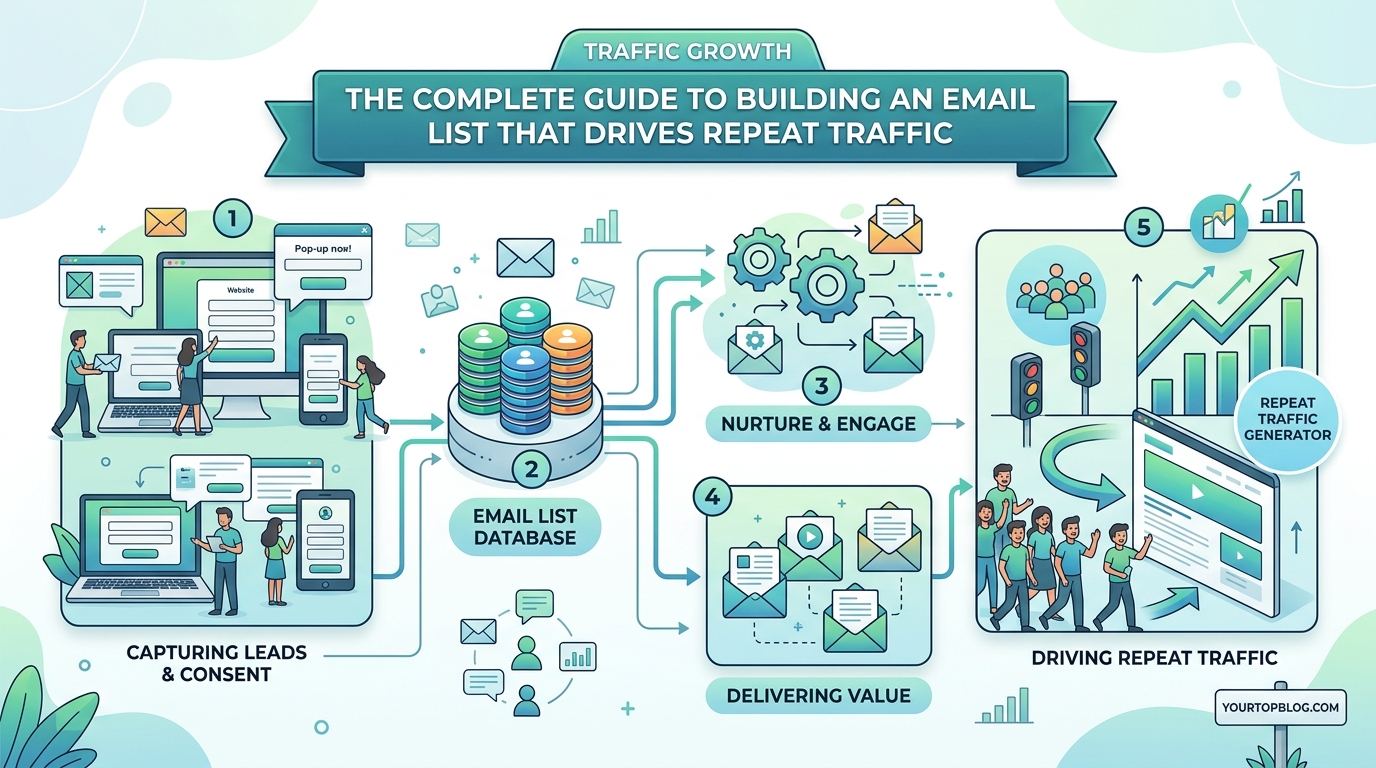
Your email service provider handles the technical side of list building. Pick the wrong one and you’ll waste hours fighting clunky interfaces.
Here are the main options:
| Platform | Best For | Starting Price | Key Feature |
|---|---|---|---|
| Mailchimp | Beginners | Free up to 500 subscribers | Easy templates |
| ConvertKit | Content creators | $9/month | Landing page builder |
| ActiveCampaign | Advanced automation | $29/month | CRM integration |
| MailerLite | Budget-conscious users | Free up to 1,000 subscribers | Simple interface |
I recommend starting with MailerLite or Mailchimp. Both offer free plans that work perfectly when you’re just starting out.
Once you pass 1,000 subscribers, evaluate whether you need advanced features like complex automation or detailed analytics.
Creating a Lead Magnet People Actually Want
Nobody subscribes to an email list for fun. They need a reason.
That reason is your lead magnet. It’s the free resource you offer in exchange for an email address.
Bad lead magnets promise vague benefits like “tips and updates.” Good lead magnets solve one specific problem right now.
Here are proven lead magnet formats:
- Checklists that simplify complex processes
- Templates that save time
- Cheat sheets with reference information
- Mini-courses delivered over email
- Resource libraries with curated tools
- Calculators or interactive tools
- Exclusive discounts or early access
Your lead magnet should take 10 minutes or less to consume. People want instant value, not homework.
For example, if you run a marketing blog, offer a “30-Day Content Calendar Template” instead of a generic “Guide to Content Marketing.”
The template solves an immediate problem. The guide feels like work.
Setting Up Your First Opt-In Form
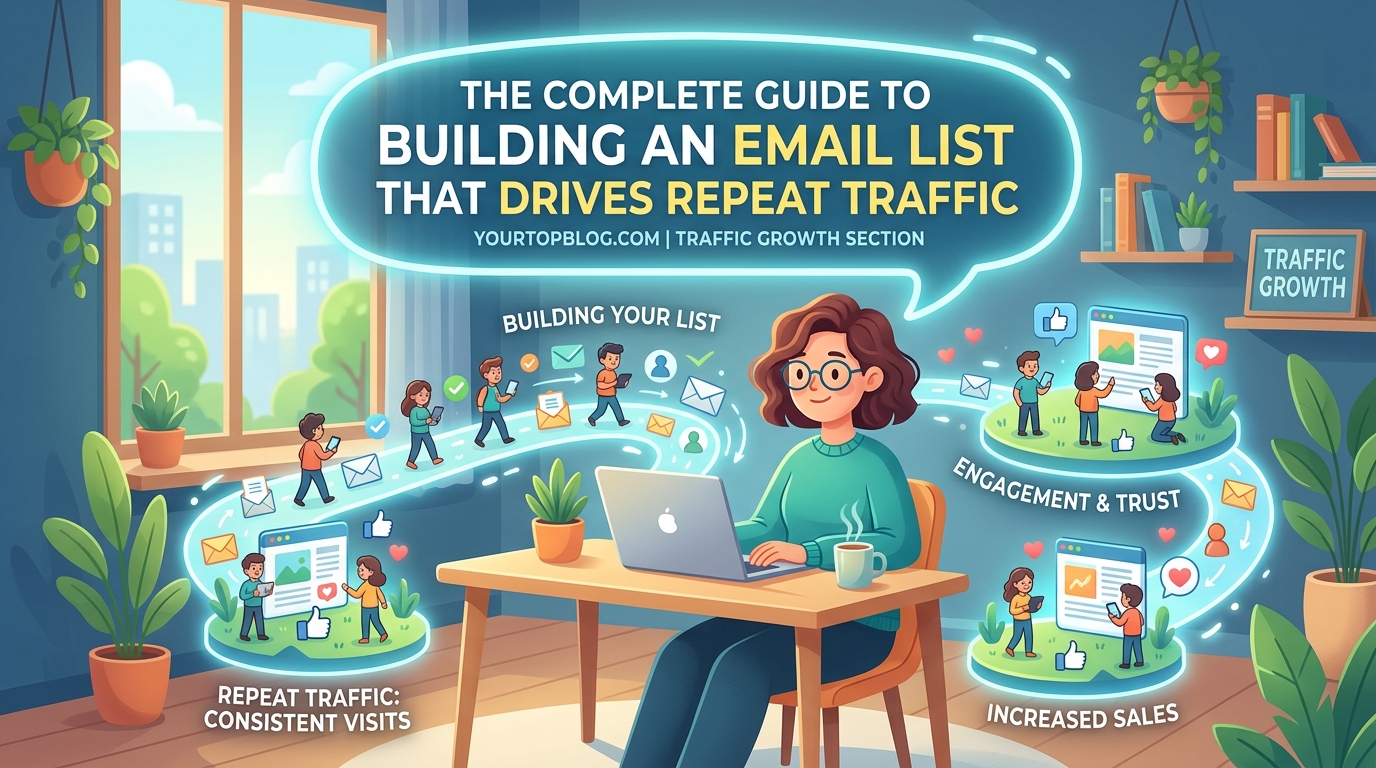
Opt-in forms are where visitors become subscribers. You need multiple forms in different locations to maximize signups.
Here’s where to place them:
- Header or navigation bar for constant visibility
- End of blog posts when readers finish your content
- Sidebar for desktop users browsing multiple pages
- Exit-intent popup that appears when someone tries to leave
- Homepage hero section as your main call to action
Each form should include three elements:
- A clear headline explaining the benefit
- A brief description (one sentence max)
- A single email field and submit button
Skip asking for first names initially. Every extra field reduces conversions by 10-20%.
Your email platform provides embed codes for these forms. Copy the code and paste it into your website builder.
Most WordPress sites use plugins like OptinMonster or Thrive Leads to manage forms without touching code.
Writing Copy That Converts Visitors to Subscribers
The words on your opt-in form matter more than the design.
Compare these two headlines:
“Subscribe to our newsletter” versus “Get my free SEO checklist that helped me rank 47 posts on page one.”
The second headline works because it’s specific. It mentions a tangible result. It uses “my” and “me” to add credibility.
Here’s a formula that works consistently:
Get [specific lead magnet] that [specific result] in [timeframe]
Examples:
- “Get my cold email template that booked 23 sales calls in two weeks”
- “Get the budget spreadsheet that helped me save $4,000 in six months”
- “Get my pitch deck outline that raised $50,000 from investors”
Notice how each headline includes numbers and outcomes. Vague promises don’t convert.
Your button text matters too. Replace “Submit” with action-oriented phrases:
- “Send me the template”
- “Get instant access”
- “Download now”
Building Your First Welcome Sequence
Your welcome sequence is the series of emails new subscribers receive automatically.
This sequence sets expectations and builds trust. Most people unsubscribe or ignore emails because they forget why they signed up.
Here’s a simple five-email sequence:
- Delivery email (sent immediately): Deliver the lead magnet and thank them for subscribing
- Story email (day 2): Share why you started your site and what you help people achieve
- Value email (day 4): Link to your best content or case study
- Social proof email (day 6): Share testimonials or results from your work
- Call to action email (day 8): Invite them to reply, follow you on social media, or check out a relevant offer
Each email should be 150-250 words. Short emails get read. Long emails get skipped.
“The money is in the list, but the fortune is in the follow-up. Your welcome sequence determines whether subscribers become fans or ghosts.” – Anonymous email marketer
Promoting Your Email List Beyond Your Website
Your website alone won’t build a massive list. You need to promote your signup everywhere your audience hangs out.
Start with these channels:
Social media bios: Add your lead magnet link to your Instagram, Twitter, and LinkedIn bios. Update your Facebook page description too.
YouTube descriptions: If you create videos, link to your opt-in page in every video description. Mention it verbally in your content.
Guest posts: When you write for other sites, include a call to action in your author bio linking to your lead magnet.
Podcast appearances: Offer a custom resource for listeners and share the signup link when hosts ask how people can connect with you.
Forum signatures: If you participate in Reddit, Quora, or niche forums, add your signup link to your profile or signature where allowed.
Comments on other blogs: When you leave thoughtful comments, use your name and link to your opt-in page if the blog allows it.
The key is consistency. Promote your list every single day through at least one channel.
If you’re already driving traffic to your site, learning why your blog posts aren’t ranking can help you get more eyes on your opt-in forms.
Using Content Upgrades to Boost Conversions
Content upgrades are lead magnets specific to individual blog posts.
Instead of offering the same lead magnet sitewide, you create a bonus resource that expands on each article’s topic.
For example, if you write a post about meal planning, offer a downloadable weekly meal planner template. If you write about budgeting, offer a budget spreadsheet.
Content upgrades convert 5-10x better than generic lead magnets because they’re hyper-relevant to what the reader just consumed.
Here’s how to implement them:
- Identify your top 10 performing blog posts by traffic
- Create a simple bonus resource for each (checklist, template, or worksheet)
- Add an opt-in form within each post promoting the specific upgrade
- Set up automation to deliver the right upgrade based on which form someone uses
You don’t need fancy tools. A simple PDF works perfectly.
I’ve seen content upgrades turn a post getting 500 visitors per month into 50+ new subscribers monthly.
Driving Traffic to Grow Your List Faster
More traffic means more subscribers. But not all traffic sources are equal.
Focus on these high-intent channels:
SEO: Ranking for keywords related to your lead magnet brings targeted visitors who actually want what you offer. Use strategies from guides on how to find low competition keywords to identify opportunities.
Pinterest: Create pins linking directly to landing pages with your opt-in form. Pinterest drives consistent traffic months after you publish a pin.
Facebook groups: Join groups where your audience hangs out. Provide helpful answers and occasionally share your lead magnet when relevant.
LinkedIn posts: Share valuable insights in your feed and mention your lead magnet in the comments or a follow-up post.
Medium: Republish your blog content on Medium with calls to action directing readers to your email list.
Avoid buying traffic through ads until you’ve optimized your opt-in forms. Paid traffic is expensive, and you’ll waste money if your conversion rate is low.
Start with free channels, get to 500 subscribers, then test paid options if you want faster growth.
Segmenting Your List for Better Engagement
Not every subscriber wants the same content. Segmentation lets you send targeted emails based on interests or behavior.
Basic segments to create:
- New subscribers (less than 30 days)
- Engaged subscribers (opened emails in the past 30 days)
- Inactive subscribers (haven’t opened in 90+ days)
- Subscribers who clicked specific links
- Subscribers interested in specific topics
Most email platforms let you tag subscribers automatically based on which lead magnet they downloaded or which links they clicked.
Use these tags to send relevant content. If someone downloaded your SEO checklist, send them more SEO content. If they downloaded your social media templates, send social media tips.
Segmented emails get 14% higher open rates and 100% higher click rates compared to generic broadcasts.
Creating a Consistent Email Schedule
Consistency matters more than frequency. Sending emails randomly confuses subscribers and increases unsubscribes.
Pick a schedule you can maintain:
- Weekly (most common for bloggers)
- Bi-weekly (good if you’re just starting)
- Daily (works for news or deal-focused lists)
I recommend weekly for most content creators. It keeps you top of mind without overwhelming inboxes.
Send emails the same day and time each week. Subscribers will start expecting your emails, which improves open rates.
If you publish new blog posts regularly, tie your email schedule to your publishing calendar. Send an email every time you publish, highlighting your new content and driving traffic back to your site.
This approach works especially well if you’re monetizing through ads or affiliate programs that actually pay bloggers.
Avoiding Common List-Building Mistakes
New list builders make predictable mistakes that kill growth.
Here’s what to avoid:
| Mistake | Why It Hurts | Fix |
|---|---|---|
| Asking for too much info | Reduces conversions | Only ask for email initially |
| Vague lead magnets | Nobody signs up | Make it specific and actionable |
| Inconsistent sending | Subscribers forget you | Pick a schedule and stick to it |
| No mobile optimization | 50%+ read on phones | Test forms on mobile devices |
| Buying email lists | Kills deliverability | Only add people who opt in |
| Ignoring unsubscribes | Hurts sender reputation | Make it easy to leave |
The biggest mistake is waiting to start. Your list won’t grow until you launch your first opt-in form.
Measuring What Matters
Track these metrics to understand your list growth:
Conversion rate: Percentage of visitors who subscribe. Aim for 2-5% initially.
Email open rate: Percentage of subscribers who open your emails. Target 20-30% for most niches.
Click-through rate: Percentage who click links in your emails. Shoot for 2-5%.
Unsubscribe rate: Percentage who leave your list. Under 0.5% is healthy.
List growth rate: Net new subscribers per month after unsubscribes.
Check these numbers monthly. If your conversion rate drops below 1%, test new lead magnets or form placements.
If open rates fall below 15%, improve your subject lines or clean inactive subscribers from your list.
Don’t obsess over vanity metrics like total subscriber count. A list of 500 engaged readers beats 5,000 people who never open your emails.
Turning Subscribers Into Website Traffic
Your email list exists to drive people back to your site. Every email should include at least one link to your content.
Here’s a simple email structure that works:
- Subject line that creates curiosity or promises value
- Opening sentence that hooks attention
- One main idea explained in 2-3 paragraphs
- Call to action linking to your site
- P.S. line with a secondary link or reminder
For example, if you just published a new post about monetization strategies, send an email like this:
Subject: “Three revenue streams I added this month”
Body: Brief story about trying new monetization methods, teasing the results, then linking to the full post on your site.
This approach gives value in the email while driving traffic to see the complete information.
If you’re building multiple income sources, check out how to stack multiple revenue models without annoying your audience.
Scaling From 100 to 1,000 Subscribers
The jump from your first 100 to 1,000 subscribers requires different tactics.
At 100 subscribers, manual promotion works fine. At 1,000, you need systems.
Here’s what changes:
Automate more: Set up evergreen email sequences that run without your involvement. Create automated tags based on subscriber behavior.
Collaborate: Partner with other creators in your niche for list swaps or joint webinars. Cross-promotion exposes you to new audiences.
Optimize ruthlessly: A/B test your opt-in forms, subject lines, and email content. Small improvements compound over time.
Create multiple lead magnets: Different audiences want different things. Offer 3-5 lead magnets targeting various pain points.
Invest in tools: Upgrade to paid email plans with better automation. Consider tools like Deadline Funnel for scarcity or Interact for quizzes.
The strategies that got you to 100 subscribers still work at 1,000. You just need to do more of them, more efficiently.
Your List Is Your Business Asset
An email list is the only marketing channel you truly own. Social media accounts can be banned. Search rankings can drop overnight. But your email list stays with you.
Start building today, even if you only have 10 website visitors per day. Add an opt-in form, create a simple lead magnet, and send your first email.
Your first subscriber matters more than your thousandth because it proves your system works. Everything after that is just repetition and optimization.
Pick one tactic from this guide and implement it this week. Then add another next week. In six months, you’ll have a list that drives consistent traffic and revenue to your site.