

Most bloggers underestimate how much traffic they actually need to hit meaningful AdSense earnings. You might think 10,000 monthly visitors will generate a comfortable side income, but the reality often falls short. Understanding the relationship between traffic, click-through rates, and cost per click transforms vague hopes into actionable targets. An adsense revenue calculator helps you reverse-engineer your income goals into specific traffic milestones, so you can build a content strategy that actually pays off.
An adsense revenue calculator estimates your potential earnings by multiplying page views by CTR and CPC. Most blogs earn $0.50 to $5 per 1,000 visitors depending on niche and ad placement. To reach $1,000 monthly, you typically need 50,000 to 200,000 page views. Calculators help you set realistic traffic goals and identify optimization opportunities before you waste months creating content that won’t generate meaningful income.
Why Manual Estimates Fail Most Bloggers
Guessing your AdSense income based on other bloggers’ reports creates false expectations.
Every niche performs differently. A finance blog might earn $15 per 1,000 visitors while a personal diary blog earns $0.80. Geographic location matters too. Visitors from the United States and Canada generate higher CPCs than traffic from lower-income countries. Your ad placement, content quality, and user engagement all influence your actual earnings.
Spreadsheet calculations get tedious when you want to test different scenarios. What if your CTR improves by 0.5%? What if you shift your content toward higher-paying keywords? Manual math slows down your planning and makes it harder to spot optimization opportunities.
A dedicated adsense revenue calculator lets you adjust variables instantly. You can model different traffic levels, test various CTR assumptions, and compare niche benchmarks side by side. This speeds up your decision-making and helps you identify which levers actually move the needle.
Core Variables That Determine Your AdSense Income
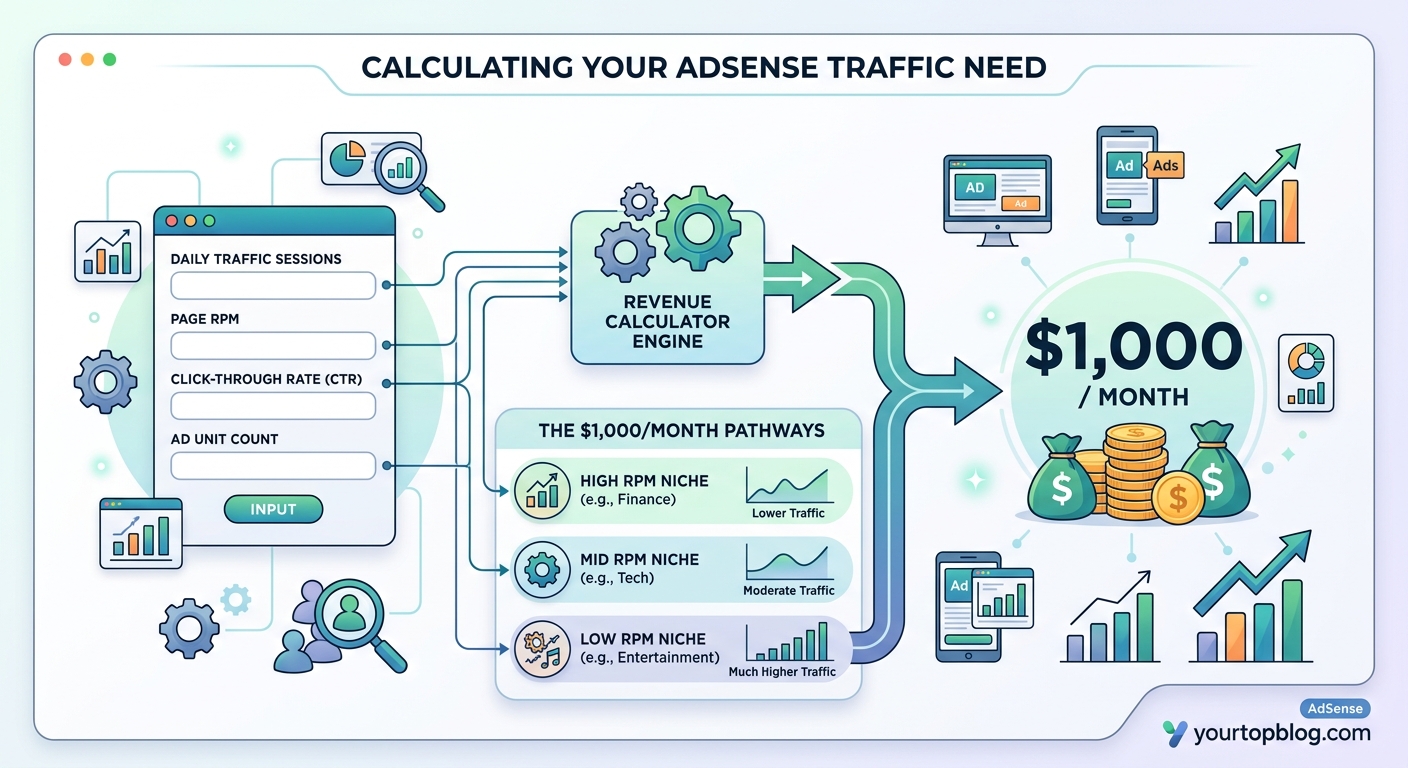
Four numbers control your monthly earnings.
Page views represent the total number of pages your visitors load. This differs from sessions or unique visitors because one person might view five articles in a single visit. More page views mean more ad impressions, which directly increases your earning potential.
Click-through rate (CTR) measures the percentage of page views that result in an ad click. Most blogs see CTRs between 0.5% and 2%. Higher CTRs indicate that your ads blend naturally with your content or that your audience finds them relevant. Aggressive ad placement can boost CTR temporarily but often annoys readers and hurts long-term growth.
Cost per click (CPC) reflects what advertisers pay when someone clicks an ad on your site. CPCs range from $0.10 in low-value niches to $5 or more in competitive industries like insurance, legal services, and finance. Google shares a portion of this with you, typically around 68% for content ads.
RPM (revenue per mille) combines all three metrics into a single number showing your earnings per 1,000 page views. Most blogs earn RPMs between $2 and $20. This metric simplifies comparisons across different months or niches, making it easier to track your progress.
Understanding these four variables helps you use any adsense revenue calculator effectively. Instead of blindly plugging in numbers, you’ll know which estimates are realistic and which assumptions need adjustment.
How to Use an AdSense Revenue Calculator Step by Step
Start by gathering your current stats if you already have traffic.
-
Log into Google Analytics and check your page views for the past 30 days. Use the full month to account for weekly fluctuations. If you’re pre-launch, research typical traffic patterns for blogs in your niche at the six-month and twelve-month marks.
-
Estimate your CTR based on niche benchmarks. Content-heavy blogs with natural ad placements typically see 1% to 1.5%. E-commerce comparison sites might hit 2% to 3%. Avoid assuming rates above 3% unless you have data proving otherwise.
-
Research average CPCs for your topic. Use Google Keyword Planner to check advertiser bids for your main keywords. Multiply the suggested bid by 0.68 to estimate your share. Finance and legal topics often show CPCs above $2, while entertainment and lifestyle niches hover around $0.50 to $1.
-
Enter these numbers into the calculator. Most tools multiply page views by CTR to get total clicks, then multiply clicks by CPC to estimate monthly revenue. Some calculators also show RPM automatically.
-
Test different scenarios. Increase your traffic estimate by 50% and see how earnings change. Improve your CTR by 0.3 percentage points. Shift to a higher-CPC niche. These projections reveal which growth strategies offer the biggest payoff.
-
Set a realistic timeline. If you need 100,000 monthly page views to hit your income goal, calculate how many months of consistent content creation that requires. Factor in seasonal traffic dips and Google algorithm updates.
This process transforms abstract income goals into concrete action plans. You’ll know exactly how much content you need to produce and which topics deserve priority.
Realistic AdSense Benchmarks by Niche

Different topics generate vastly different earnings per visitor.
| Niche | Typical RPM | Average CPC | Notes |
|---|---|---|---|
| Personal Finance | $10 to $25 | $2 to $5 | High advertiser competition drives premium rates |
| Health & Wellness | $5 to $15 | $1 to $3 | Medical and insurance ads pay well |
| Technology | $4 to $12 | $0.80 to $2 | B2B software ads boost earnings |
| Food & Recipes | $3 to $8 | $0.50 to $1.50 | Lower CPCs but high engagement |
| Travel | $3 to $10 | $0.60 to $2 | Seasonal fluctuations are common |
| Lifestyle & Fashion | $2 to $6 | $0.40 to $1 | Competitive but lower-value ads |
| Entertainment | $1 to $4 | $0.30 to $0.80 | High traffic but minimal advertiser spend |
These ranges help you calibrate your adsense revenue calculator inputs. If you’re running a food blog, assuming a $20 RPM sets you up for disappointment. Conversely, underestimating your finance blog’s potential might cause you to miss optimization opportunities.
Geographic audience composition matters as much as niche. A tech blog with 80% U.S. traffic will significantly outperform an identical blog with 80% traffic from lower-income countries. Use Google Analytics to check your visitor locations and adjust your CPC estimates accordingly.
Common Calculation Mistakes That Inflate Expectations
Overestimating CTR ranks as the most frequent error.
New bloggers often assume 3% or 4% click-through rates because they read about outlier success stories. In reality, most sites never break 2%. Using inflated CTR assumptions in your calculator produces income projections that feel achievable but never materialize. This leads to frustration and burnout when your actual earnings fall 50% short of projections.
Ignoring seasonal traffic patterns creates another blind spot. Your calculator might show you need 80,000 monthly visitors to hit $1,000 in AdSense revenue. But if your niche experiences a 40% traffic drop every summer, you’ll miss your income target for several months. Build seasonal adjustments into your planning by checking Google Trends data for your main topics.
Confusing sessions with page views distorts your calculations. One visitor might generate three sessions and twelve page views in a month. If you plug session counts into a calculator expecting page view inputs, you’ll underestimate your earning potential by 3x to 5x. Always use total page views for accurate projections.
Some bloggers forget that AdSense takes time to optimize. Your first month might show a 0.6% CTR while month six reaches 1.4% as Google learns which ads perform best on your site. Factor in a ramp-up period rather than expecting peak performance immediately after approval.
“Most bloggers quit AdSense after three months because their calculator told them they’d earn $500, but they only made $80. The calculator wasn’t wrong. Their inputs were. Use conservative estimates and you’ll stay motivated long enough to hit real milestones.” – Successful publisher with five years of AdSense data
When AdSense Makes Sense and When It Doesn’t
Display advertising works best for high-traffic blogs in moderate-CPC niches.
If you can realistically reach 50,000 monthly page views within 12 months, AdSense becomes a viable income stream. Below that threshold, you’re looking at $50 to $200 monthly, which barely covers hosting costs. Your time might generate better returns through affiliate programs that pay higher commissions.
Blogs in extremely low-CPC niches should consider alternatives. If your calculator shows an RPM below $2 even with optimistic assumptions, you’ll need massive traffic to earn meaningful income. A lifestyle blog requiring 300,000 monthly visitors to hit $600 in AdSense revenue should probably focus on other passive income streams instead.
Sites with highly engaged audiences often earn more from direct monetization. If your readers trust your recommendations and actively seek your advice, affiliate marketing or digital products will outperform display ads. Use your adsense revenue calculator as a baseline, then compare projected earnings against other monetization methods.
AdSense excels when you want hands-off income. Once you’ve optimized ad placements and built consistent traffic, the revenue arrives automatically. No customer service, no product fulfillment, no affiliate relationship management. This passive nature makes it perfect for bloggers who want to focus on content creation rather than business operations.
Building Traffic That Actually Converts to AdSense Revenue
Not all visitors generate equal ad revenue.
Search traffic from informational queries tends to produce higher engagement with ads. Someone searching “how to refinance a mortgage” arrives ready to take action, making them more likely to click financial service ads. Social media traffic often bounces faster and ignores ads completely, resulting in lower CTRs and RPMs.
Target low competition keywords with commercial intent to build traffic that converts. Long-tail keywords like “best budget laptops for college students under $500” attract visitors who are close to making purchase decisions. These readers engage more with ads because they’re actively researching products.
Page speed directly impacts ad performance. Slow-loading sites cause visitors to leave before ads even render, killing your potential impressions. Google also ranks faster sites higher, which compounds the problem. Optimize images, use caching, and choose quality hosting to keep load times under three seconds.
Content length influences ad inventory. Longer articles provide more natural spots for ad placement without overwhelming readers. A 2,000-word guide can comfortably hold four to six ad units, while a 400-word post struggles to fit more than two without looking spammy. More ad units mean more impressions per page view, boosting your effective RPM.
Internal linking keeps visitors on your site longer. When someone reads one article and clicks through to two more, you’ve tripled your page views from a single visitor. This multiplier effect significantly increases your monthly totals without requiring new traffic. Build content clusters around your main topics and link them strategically.
Optimizing Your Site After Running the Numbers
Your calculator results reveal where to focus improvement efforts.
If your projected CTR sits below 1%, audit your ad placements. Ads that blend naturally with content perform better than obvious banner slots. Test placing ads within article content rather than only in sidebars. The first ad should appear after two to three paragraphs, once readers are engaged but before they’ve gotten all the information they need.
Low CPC projections signal niche problems. If your calculator shows CPCs under $0.50, consider whether you can shift your content toward higher-value subtopics. A general lifestyle blog might add personal finance articles to attract better-paying ads. A food blog could incorporate kitchen equipment reviews to tap into higher e-commerce CPCs.
Traffic shortfalls require content strategy adjustments. Your calculator might show you need 150,000 monthly page views to hit your income goal, but you’re only at 30,000. Instead of waiting five years to grow organically, analyze which content types drive the most traffic. Double down on what works and scale your content production in those areas.
Common optimization mistakes include:
- Placing too many ads above the fold, which triggers Google penalties
- Using auto ads without monitoring performance, leading to poor user experience
- Ignoring mobile optimization when 60% to 70% of traffic comes from phones
- Blocking high-value ad categories accidentally in AdSense settings
- Failing to test different ad sizes and formats
Small mistakes in AdSense setup can cut your revenue by 30% to 50%. After using your calculator to set targets, audit your implementation to ensure you’re not leaving money on the table.
Real Example: Calculating Income for a New Food Blog
Let’s work through a concrete scenario.
Sarah wants to start a recipe blog and wonders if AdSense can generate $500 monthly within 18 months. She researches food blog benchmarks and finds typical RPMs between $4 and $7. Conservative CPC estimates for her niche sit around $0.60, with CTRs averaging 1.2%.
She plugs these numbers into an adsense revenue calculator:
- Target monthly revenue: $500
- Expected RPM: $5 (middle of the range)
- Required page views: $500 ÷ $5 × 1,000 = 100,000 monthly page views
Now Sarah knows her traffic target. She researches how long it takes food blogs to reach 100,000 monthly page views. Most case studies show 12 to 24 months with consistent publishing. One food blogger hit $8,000 monthly after 18 months, which gives Sarah confidence her goal is achievable.
She breaks down the traffic requirement into weekly targets:
- Month 1 to 3: Focus on publishing 12 to 16 recipes monthly, expect 1,000 to 3,000 page views
- Month 4 to 6: Maintain publishing pace, optimize for Pinterest, target 8,000 to 15,000 page views
- Month 7 to 12: Scale to 20 recipes monthly, expect 25,000 to 50,000 page views
- Month 13 to 18: Continue growth, hit 80,000 to 120,000 page views
This timeline shows Sarah needs to publish 250 to 300 recipes over 18 months to hit her income goal. She can now decide whether that workload fits her schedule and adjust her expectations accordingly.
The calculator transformed a vague income dream into a specific content production target. Sarah knows exactly what success requires and can track her progress monthly.
Alternative Calculators and Tools Worth Trying
Several free tools help you model AdSense earnings.
Google’s own AdSense calculator provides conservative estimates based on broad niche categories. It’s useful for beginners who don’t have enough data to estimate CTR or CPC themselves. The tool asks for your niche, traffic level, and geographic audience, then outputs a monthly revenue range.
Independent calculator tools often provide more granular controls. You can adjust individual variables like CTR, CPC, and page views per session to test specific scenarios. Some tools also show visual graphs that illustrate how earnings scale with traffic growth, making it easier to spot inflection points.
Spreadsheet templates give you complete control over calculations. You can build custom formulas that account for seasonal traffic patterns, multiple ad networks, or different monetization methods. Templates also let you track actual performance against projections month by month, revealing where your assumptions were accurate or optimistic.
RPM calculators work backward from your earnings and traffic to show your effective rate. If you’ve been running AdSense for a few months, plug in your actual numbers to calculate your real RPM. This benchmark helps you set more accurate projections going forward and identifies whether your performance matches niche averages.
Most calculators use the same basic formula: (Page Views × CTR × CPC) = Revenue. The main differences lie in the interface, preset benchmarks, and additional features like seasonal adjustments or multi-network comparisons. Try two or three tools and compare results to ensure your projections are reasonable.
Setting Milestones That Keep You Motivated
Long-term traffic goals feel overwhelming without intermediate checkpoints.
If your calculator shows you need 200,000 monthly page views to hit $1,000 in AdSense revenue, that target might seem impossible from zero. Break it into quarterly milestones:
- Quarter 1: Reach 5,000 monthly page views, earn $15 to $30
- Quarter 2: Hit 15,000 monthly page views, earn $50 to $100
- Quarter 3: Achieve 40,000 monthly page views, earn $150 to $250
- Quarter 4: Scale to 80,000 monthly page views, earn $300 to $500
Each milestone represents meaningful progress. Celebrating small wins maintains motivation during the slow early months when earnings barely cover your coffee budget.
Track your RPM separately from total revenue. Your RPM might improve from $3 to $6 as you optimize ad placements and content quality, even if your traffic growth stalls temporarily. Recognizing this improvement helps you stay positive during traffic plateaus.
Compare your performance against your calculator projections monthly. If you’re consistently underperforming, investigate whether your CTR assumptions were too optimistic or if technical issues are suppressing ad performance. If you’re exceeding projections, identify what’s working and double down on those tactics.
Remember that AdSense approval itself is a milestone. Google requires quality content and decent traffic before approving new publishers. Treat approval as validation that you’re building something worthwhile, not just the starting line for monetization.
Your Path from Calculator Results to Real Income
An adsense revenue calculator shows you what’s possible, but execution determines what’s actual.
The numbers you generate today represent potential, not promises. Your real earnings will depend on content quality, SEO effectiveness, user experience, and sustained effort over months or years. Bloggers who treat calculator projections as guarantees often quit when reality falls short. Those who use projections as planning tools build successful, profitable sites.
Start by running realistic scenarios in your calculator. Use conservative CTR and CPC estimates based on niche benchmarks. Calculate how much traffic you need for meaningful income, then research whether that traffic level is achievable in your niche. If the numbers look discouraging, consider choosing a domain and niche with better monetization potential before you invest hundreds of hours.
Track your progress monthly and adjust your strategy based on real data. Your calculator provides the roadmap, but your analytics show whether you’re following it. When you spot gaps between projections and reality, investigate the cause and fix it rather than hoping things improve magically.
Most importantly, remember that AdSense is one monetization method among many. Your calculator might show that display ads will generate $800 monthly at your target traffic level. Compare that against what you could earn from affiliate marketing, digital products, or services. Choose the mix that maximizes your income while matching your skills and interests.
The bloggers who succeed with AdSense treat it as a marathon, not a sprint. They use calculators to set realistic expectations, build content consistently, optimize based on data, and celebrate incremental progress. Your calculator results aren’t predictions. They’re targets you can hit with the right strategy and enough persistence.